

Industry news


View: 390

Release time:2026-06-10
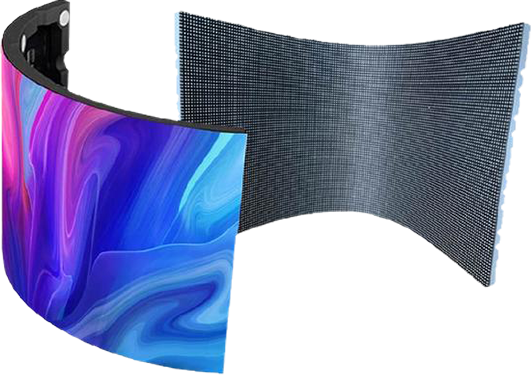
Outdoor curved LED screens create stunning visual experiences, but their unique shape and multi-panel construction can sometimes lead to noticeable color differences. You may see uneven brightness, inconsistent colors between modules, or visible patches across the display. Fortunately, you can solve most of these issues by following a systematic troubleshooting process.
This guide explains how to identify the root cause and restore consistent image quality on a curved LED display.
Step 1: Check the Hardware Before Adjusting Software
Before changing any calibration settings, inspect the hardware. In many cases, the problem does not originate from the LEDs themselves but from unstable power delivery or signal transmission.
Verify the Power Supply
Curved LED screens often distribute power through multiple power boxes. If one section receives lower voltage than the standard 5V supply, the LEDs in that area may appear dimmer or display different colors.
Use a multimeter to measure the voltage of the affected modules. If you detect abnormal readings, repair or replace the faulty power components before moving to software adjustments.
Inspect Ribbon Cables and Network Cables
Loose or aging ribbon cables can interrupt data transmission and create abnormal colors across an entire module or cabinet. Similarly, damaged Ethernet cables may cause signal degradation.
Reconnect all cables carefully or replace suspicious ones to eliminate communication issues.
Check Whether Replacement Modules Come from Different Batches
This is one of the most common and difficult causes of color inconsistency.
If technicians replaced part of the screen during maintenance, the new LED modules may use LEDs with different wavelengths, brightness levels, or aging characteristics. Even if they come from the same manufacturer, production variations can create visible color differences.
Although software calibration can reduce these discrepancies, it may not eliminate them completely.
Step 2: Perform Professional Point-by-Point Calibration
Once you rule out hardware problems, software calibration becomes the most effective solution.
Use Point-by-Point Calibration Technology
Point-by-point calibration delivers the highest level of color consistency for LED displays.
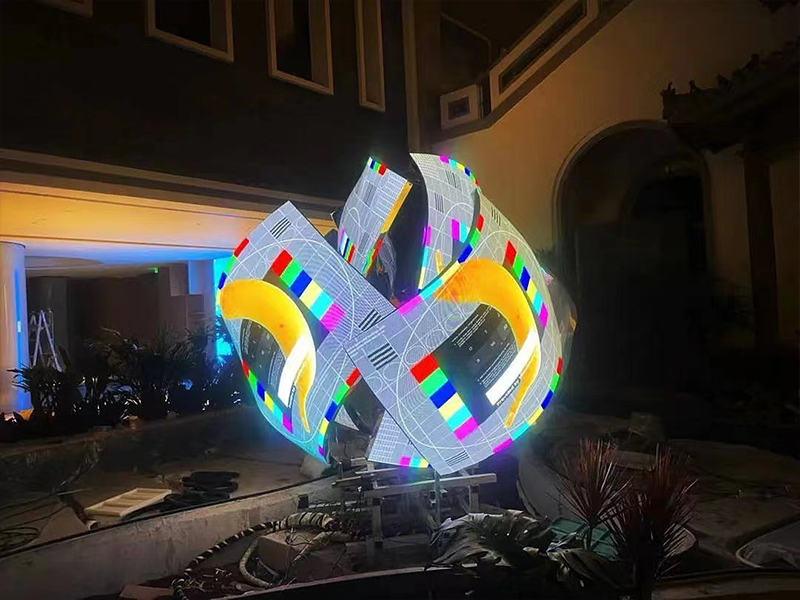
During the process, technicians use high-precision cameras or optical measuring devices to collect brightness and chromaticity data from every individual pixel. The control system then calculates correction values and applies them across the display, ensuring that all LEDs produce uniform output.
After professional calibration, most curved LED screens regain more than 90% visual consistency.
Step 3: Reload Factory Calibration Data
Sometimes the issue appears because the original calibration parameters are missing or disabled.
Open your LED control software—such as NovaStar or Colorlight—and verify that point-by-point calibration remains enabled. If you previously backed up the factory calibration files (such as .clf or .db files), reload them into the receiving cards.
Restoring these original coefficients often resolves unexpected color variations after maintenance or controller replacement.
Step 4: Compensate for Viewing Angles on Curved Displays
Curved LED screens introduce another challenge that flat displays rarely face.
Because the surface bends toward different directions, viewers observe LEDs from varying angles. LEDs naturally produce slight brightness differences between direct and side viewing angles, which can create the illusion of color inconsistency even when the hardware functions normally.
Advanced LED control software allows technicians to fine-tune RGB values and brightness levels for specific cabinets along curved sections. By applying localized adjustments, they can visually compensate for these angle-related differences and create a more uniform appearance.
Emergency Solutions Before an Event
If you need the screen immediately and cannot schedule professional calibration, several temporary measures can reduce the visibility of color differences.
Lower the Overall Brightness
Reducing screen brightness by 10% to 20% often makes color inconsistencies less noticeable. At maximum output, even small variations between LEDs become more apparent.
Choose Better Content
Avoid displaying large white or gray backgrounds because solid colors reveal imperfections quickly. Instead, play colorful, high-contrast, and dynamic video content that naturally masks minor brightness and color variations.
Final Thoughts
When an outdoor curved LED screen develops color differences, always begin with hardware diagnostics. Check the power supply, inspect signal cables, and confirm that replacement modules belong to compatible production batches. If those components work properly, perform point-by-point calibration and reload the original calibration data whenever possible.
For curved installations, you should also consider viewing-angle compensation through software adjustments. In most cases, these steps significantly improve display uniformity and restore a professional visual experience.
 +86 18688923792
  andy@tosled.com