
Industry news

View: 362

Release time:2026-06-10
LED display technology has transformed film production, virtual studios, live events, and broadcast environments. High refresh rates and exceptional brightness allow LED walls to deliver immersive visuals that outperform many traditional display solutions.
However, some camera operators notice a strange “bending effect” or curved rolling lines when filming an LED wall. At first glance, the display may appear to have a physical problem. In reality, the issue usually comes from the interaction between the camera and the LED screen rather than the screen structure itself.
Understanding why this happens helps production teams choose the right LED display and optimize camera settings for flawless results.
The bending effect refers to curved bands, rolling lines, or wave-like artifacts that appear in recorded footage when a camera captures an LED display. These distortions become more noticeable when the camera tilts, pans, or changes its angle.
Importantly, the LED wall itself remains perfectly flat. The artifacts only appear through the camera because the imaging system and the display refresh process fail to synchronize completely.
Modern LED displays refresh their pixels through high-speed scanning. Although the human eye cannot detect this process, camera sensors often can.
When the camera exposes the image while the LED modules refresh at different moments, it may record uneven brightness across the frame. As a result, rolling bands or bending patterns become visible.
Therefore, synchronization between the display and the camera plays a critical role in professional productions.
A high refresh rate significantly improves camera performance.
Professional LED screens often operate at refresh rates of 3,840 Hz or higher. These displays refresh more frequently within each frame, reducing visible flicker and minimizing scan artifacts during filming.
Although a higher refresh rate does not eliminate every issue, it provides a much stronger foundation for broadcast-quality video.
Even an excellent LED display can produce artifacts if the camera uses an incompatible shutter speed or shutter angle.
When the exposure period does not align with the LED refresh cycle, the camera may capture incomplete scanning information. Consequently, curved bands or rolling lines can appear across the image.
Production crews should test different shutter settings before filming and select values that complement the display's operating frequency.
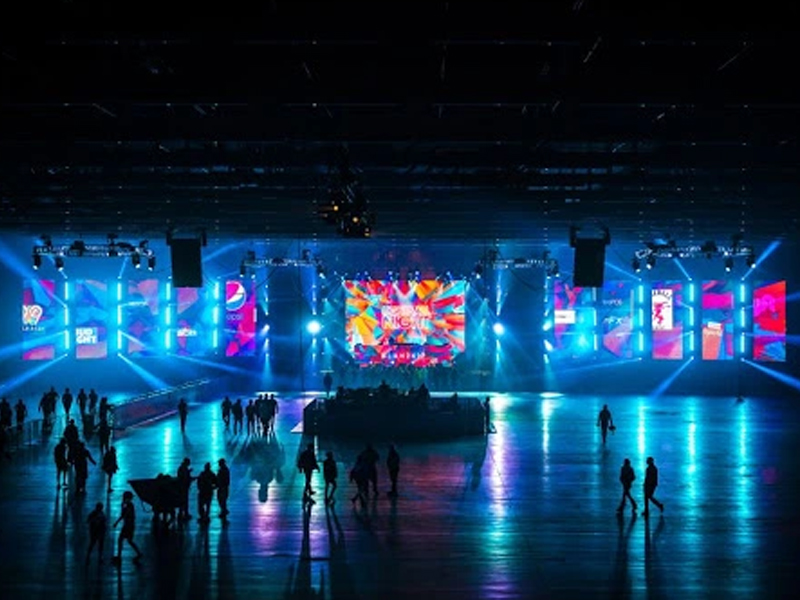
Many digital cinema and mirrorless cameras use rolling shutter sensors that read the image line by line instead of capturing the entire frame simultaneously.
Because of this sequential readout, rolling shutter cameras can amplify LED scanning artifacts. In contrast, cameras equipped with global shutter technology generally produce cleaner footage under the same conditions.
Even so, proper synchronization remains essential regardless of the sensor type.
Not all LED walls deliver the same on-camera experience.
Premium LED displays combine high refresh rates, advanced driver ICs, stable control systems, and precise calibration. Together, these features reduce scan-related artifacts and maintain consistent brightness across the screen.
Lower-quality panels may satisfy general advertising needs but struggle in demanding film or virtual production environments where cameras capture every detail.
Production teams can greatly improve image quality by following several practical steps:
Choose LED displays with high refresh rates, preferably 3,840 Hz or above.
Match camera shutter speed or shutter angle to the LED refresh characteristics.
Synchronize cameras and video systems whenever possible using professional timing solutions.
Test different frame rates before the final shoot to identify the cleanest configuration.
Invest in high-quality LED controllers and display modules designed for broadcast and virtual production.
Conduct camera tests from multiple viewing angles, since tilting and panning may reveal artifacts that remain invisible in static shots.
If your project involves XR stages, broadcast studios, or in-camera visual effects, selecting the right LED wall extends beyond pixel pitch and brightness.
You should also evaluate refresh rate, grayscale performance, scan method, synchronization capabilities, and control system quality. A display optimized for camera capture helps eliminate distracting artifacts while delivering realistic backgrounds and seamless visual integration.
As virtual production continues to grow, camera-friendly LED technology has become a competitive advantage rather than an optional feature.
The so-called bending effect does not usually indicate a defective LED screen. Instead, it results from the interaction between LED scanning technology and camera imaging systems.
Fortunately, the problem can often be minimized through thoughtful equipment selection and careful setup. By choosing high-refresh LED displays, optimizing shutter settings, and ensuring proper synchronization, production teams can achieve smooth, artifact-free footage that showcases the true capabilities of modern LED technology.
 +86 18688923792
  andy@tosled.com