


News
Most genuine customer feedback, highly informative technical support videos, and our latest updates!

Most genuine customer feedback, highly informative technical support videos, and our latest updates!

View: 35

Release time:2026-09-21
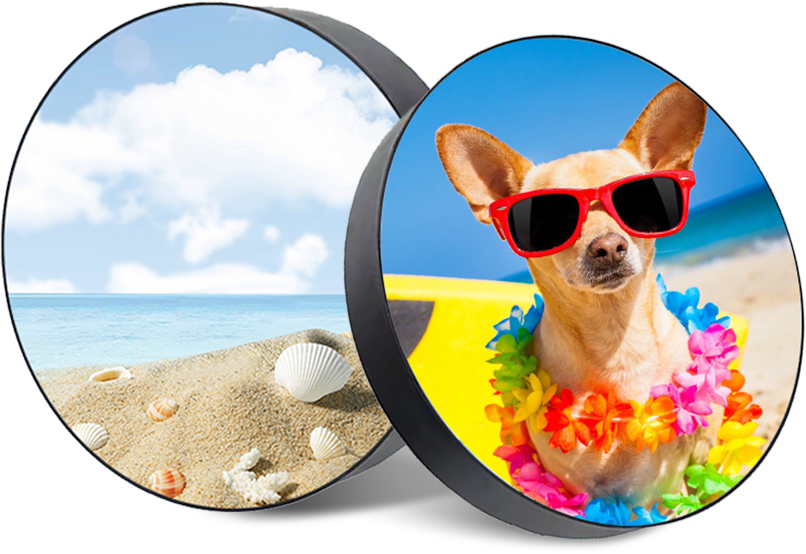
A quotation says “1,000 mm circular LED screen.” Does that mean a 1,000 mm image, a 1,000 mm cabinet, or a rounded product size?

This question matters before a wall opening is built or a mounting frame is ordered. A screen can fit the available space yet show a smaller image than expected. It can also provide the required image size but arrive with a cabinet too large for the opening.
To specify a circular LED screen correctly, separate the outer diameter, active display diameter, and installation space.
The outer diameter is the distance across the outside of the finished screen body, including its surrounding rim where applicable. Brackets and other projecting parts should be dimensioned separately.
The active display diameter describes the illuminated circle available to show an image. A decorative border or non-emitting edge does not count as active display area.
The installation envelope is the space needed for the complete assembly, including its supports, connectors, cable bends, ventilation, and service access.
| Dimension | What it tells you |
|---|---|
| Outer diameter | Whether the screen body fits the intended location |
| Active display diameter | How large the visible image can be |
| Overall depth | How far the assembly extends behind or in front of the wall |
| Installation envelope | Whether the screen can be installed, connected, and maintained |
Ask the supplier to label these dimensions on one drawing. A product name alone is not enough to approve fabrication.
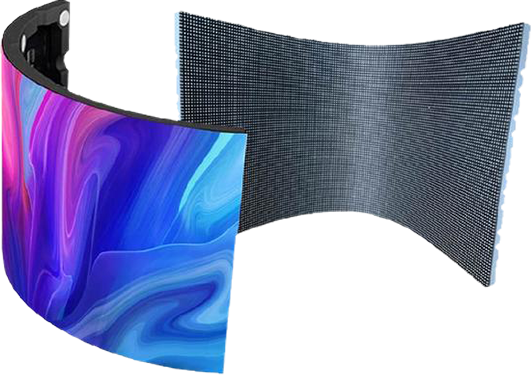
The difference comes from the space between the outer edge and the active pixels. Depending on the design, this flexible led screen may include cabinet material, protective trim, or a non-emitting module margin.
Consider a hypothetical circular LED screen with:
Outer diameter: 1,000 mm
Non-emitting border: 30 mm on each side
Active display diameter: 940 mm
For a centered circle with a uniform border:
Active diameter = Outer diameter − 2 × Border width
Therefore:
1,000 − 2 × 30 = 940 mm
The diameter is only 6% smaller, but the area difference is larger because circular area depends on the square of the diameter.
This example assumes a uniform border. Where the pixel boundary is stepped or irregular, use the approved module layout to establish the actual active outline.
For a circular image:
Area = π × Diameter² ÷ 4
Use meters to obtain square meters.
In the example above:
| Measurement basis | Diameter | Circular area |
|---|---|---|
| Outer outline | 1.00 m | 0.785 m² |
| Active image | 0.94 m | 0.694 m² |
The active image occupies approximately 88.4% of the outer circular area.
This provides a useful comparison when two quotations both describe a “one-meter round LED display.” Their visible image areas may differ.
However, area alone does not measure product quality. A wider border may serve a structural or protective purpose. Compare active area alongside pixel pitch, construction, service access, and the installation environment.
Physical size and image resolution are separate specifications.
A useful preliminary estimate is:
Pixels across the diameter ≈ Active diameter in millimeters ÷ Pixel pitch in millimeters
For a 940 mm active diameter at P2.5:
940 ÷ 2.5 ≈ 376 pixels across
This does not mean the circle contains 376 × 376 active pixels. That square includes corner positions outside the circular image.
Also, the final resolution depends on the actual module arrangement. Request the confirmed pixel map, including maximum active width and height, before preparing playback files. Use the calculation for planning, not as a substitute for the manufacturer’s mapping file.
An opening equal to the screen’s nominal diameter may leave no room for fitting or adjustment.
For a simple recessed installation, the preliminary relationship is:
Opening diameter = Maximum body diameter + 2 × Required radial clearance
The supplier and installer should agree on that clearance. There is no single allowance suitable for every circular LED screen.
Check the installation depth separately. A thin front face does not reveal how much space the brackets, power connections, and cable bends need behind it.
For example, a retail wall may accommodate the cabinet but prevent access to rear fasteners. Confirm the maintenance direction before closing the wall.
Use a drawing-and-pattern check during factory acceptance.
Confirm the drawing revision. Record the approved outer diameter, active diameter, depth, and agreed tolerances.
Measure the finished body. Check horizontal and vertical diameters against the drawing.
Display a full-field pattern. Use moderate brightness to identify the illuminated boundary.
Check the active outline. Compare it with the approved pixel map and confirm that trim does not cover intended visible pixels.
Document the installation parts. Photograph brackets, connectors, and access points with their dimensions.
Avoid placing measuring tools directly against exposed LEDs. Keep measurements and photographs together in the acceptance record.
No. Ask whether the quoted diameter describes the cabinet or the active display.
Use active diameter for a preliminary estimate. Obtain the exact resolution from the confirmed pixel map.
That depends on the module layout, cabinet structure, and protection requirements. Confirm feasibility before fixing the architectural dimensions.
TOOSEN offers circular LED displays and customization of size, pixel pitch, shape, and structure.
For a sizing discussion, provide the available wall space, required visible image diameter, viewing distance, installation method, and maintenance access. State clearly whether your target diameter refers to the illuminated image or the finished body, then approve a dimensioned drawing before production.
 +86 18688923792
  andy@tosled.com